LayerMechanic — Insert & Nut Pocket Maker (Blender add-on)
A downloadable tool
What it does
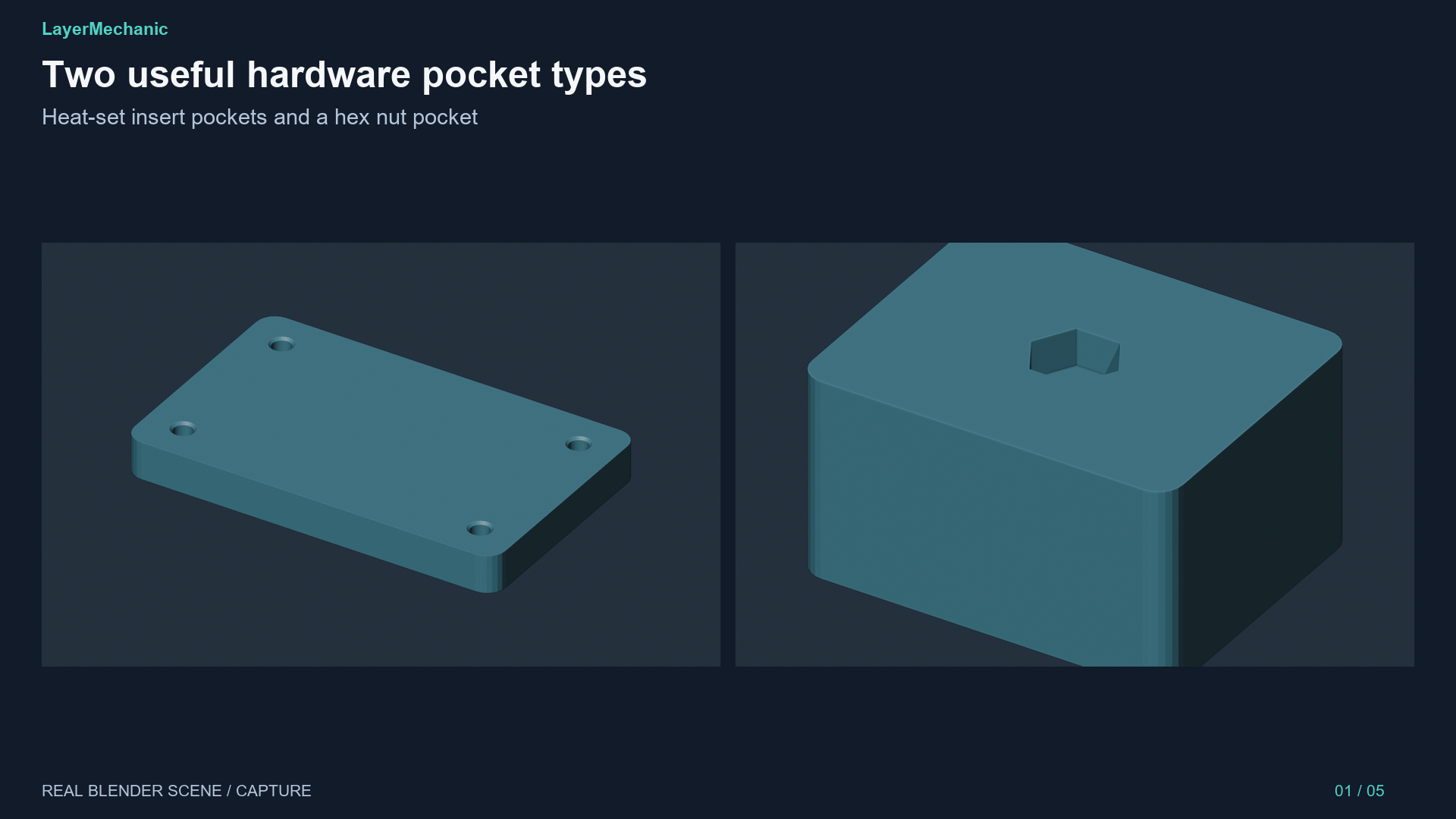
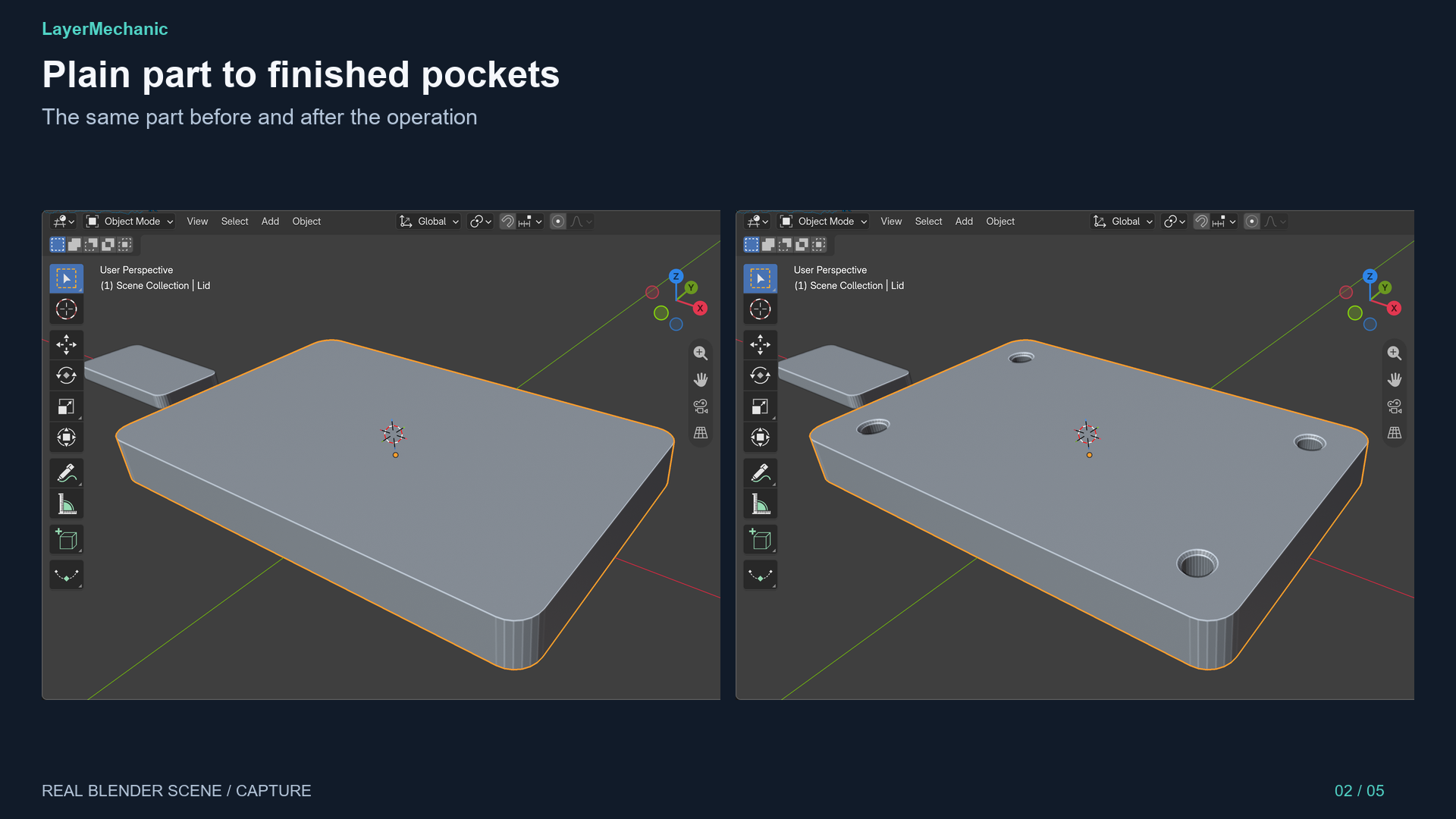
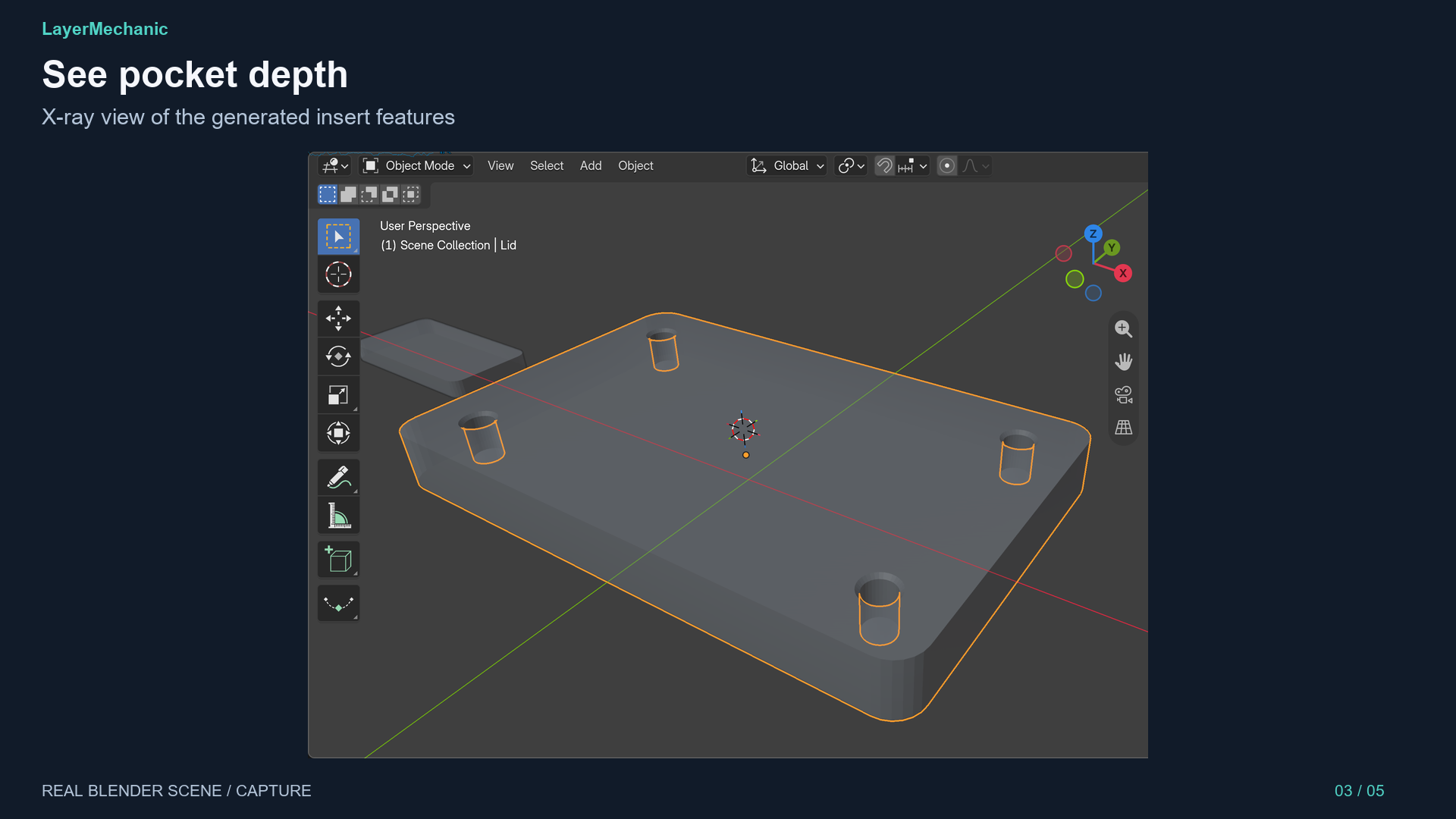
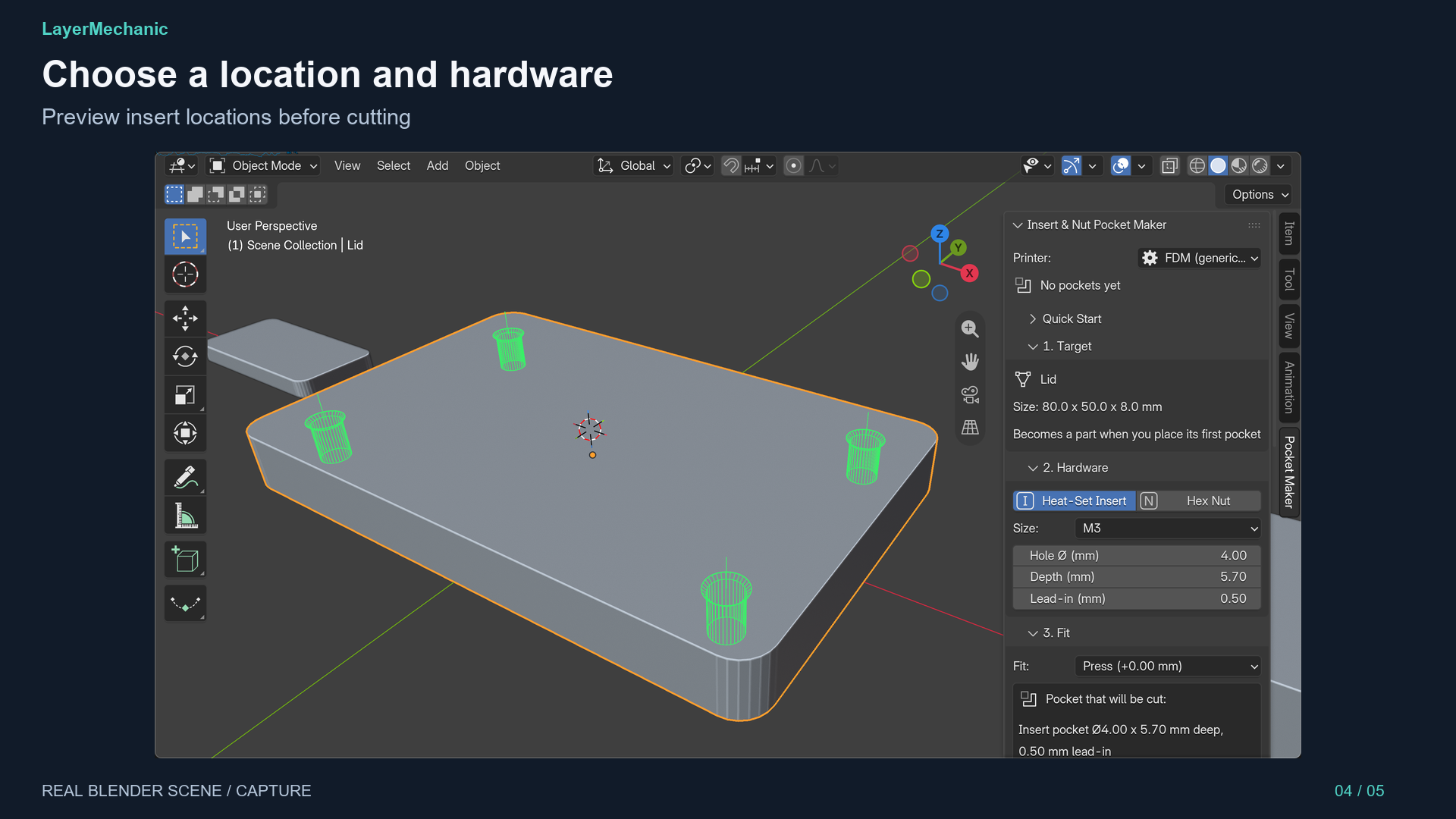
Create heat-set insert and hex-nut pockets in 3D-printed parts. Select a part, choose an insert or nut and a size (M2–M5 or custom), set the fit (Press, Close, Glue, Loose or custom clearance), then Shift + Right-click for a green preview. Place a pocket or a whole grid.
What it checks
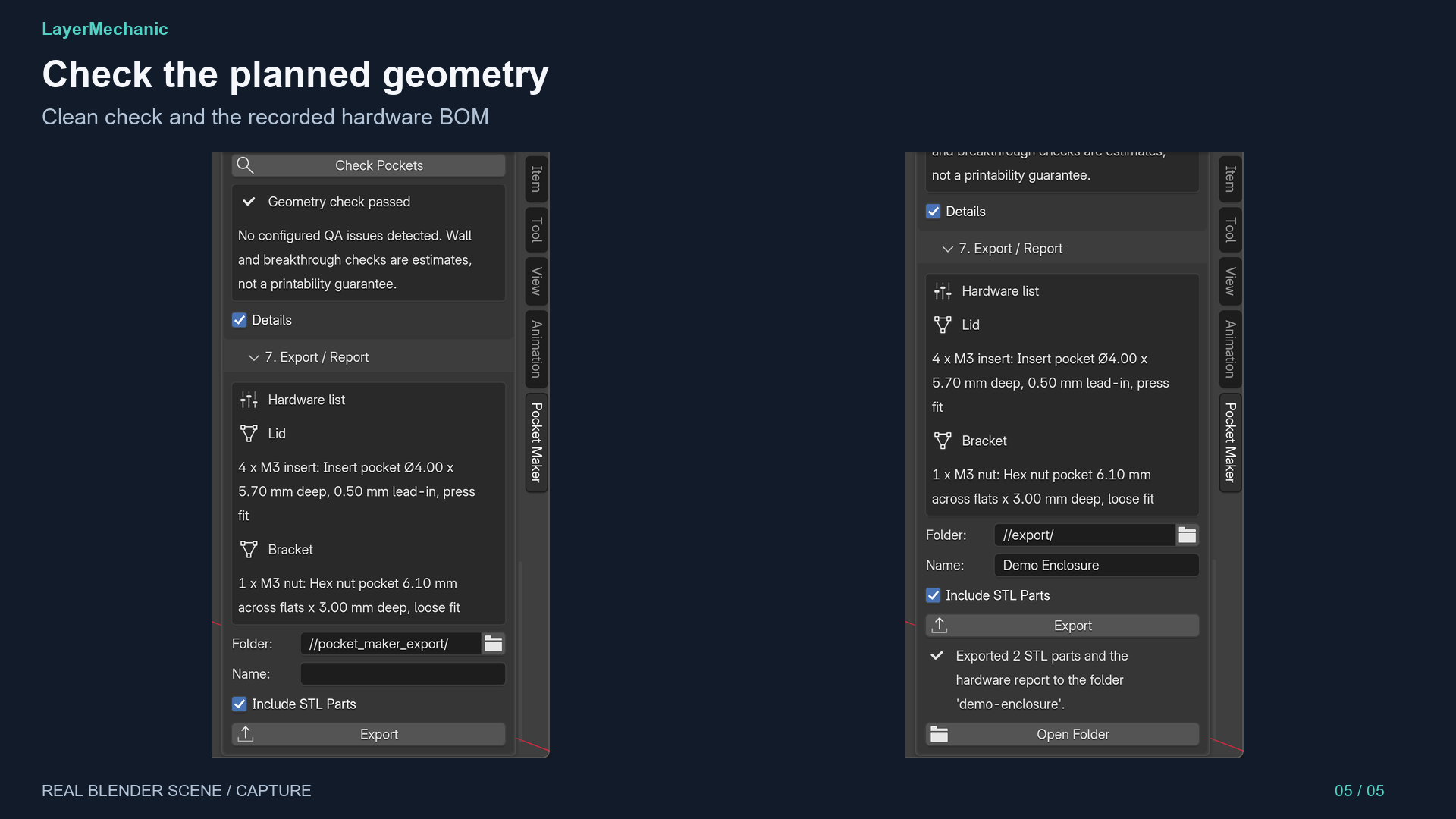
Check Pockets reports breakthrough, thin walls and overlaps. Export STL parts in millimetres and a hardware list per part. Pockets are non-destructive: edit or remove them later with Undo available. The add-on works offline; a demo .blend is included.
Limits
Presets are editable starting points; measure your hardware. The check is a geometric estimate, not a printability guarantee. Screw holes are not included.
Compatibility & installation
Blender 5.2+; tested on Blender 5.2.1 LTS, Windows 11 x64. macOS and Linux are untested. Install the ZIP without unzipping it through Blender Preferences > Get Extensions > Install from Disk, enable it, then use 3D Viewport > N > Pocket Maker.
Support & updates
Publisher: LayerMechanic. GPL-3.0-or-later. Support: Mekora Labs Support — mekoralabs.support@gmail.com (target response within 2 business days). Free bug fixes and compatibility updates during the 1.x product line. Refunds follow itch.io’s applicable policy.
Purchase
In order to download this tool you must purchase it at or above the minimum price of $12 USD. You will get access to the following files:
Leave a comment
Log in with itch.io to leave a comment.